
Why You Should Use a Client-Side JSON to CSV Converter for Sensitive Data
The Data Analyst's Dilemma
Every day, developers and data analysts face the same problem: you have a massive JSON dump from an API, a NoSQL database (like MongoDB), or a log file, but your stakeholders—product managers, marketers, and finance teams—live in Excel. They need rows and columns, not curly braces and arrays.
The immediate instinct is to Google "free json to csv converter." Millions of results pop up. You click the first one, upload your 50MB customer data file, and get your CSV. Job done?
Not quite. You might have just exposed your company's most sensitive data.
The Hidden Risks of Server-Side Conversion
Most online converters operate on a simple premise: Upload -> Process -> Download. This traditional model introduces three critical risks:
- Data Transmission: Your file travels across the internet to a server you know nothing about. Even with HTTPS, you are trusting an unknown entity with your proprietary data.
- Data Persistence: Does the server delete your file immediately? Or does it store it in a temporary folder that gets cleaned up "eventually"? Many free tools monetize by selling aggregated data or lack strict retention policies.
- Compliance Violations: If your JSON contains PII (Personally Identifiable Information) like emails, addresses, or phone numbers, uploading it to a third-party server likely violates GDPR, CCPA, or HIPAA regulations.
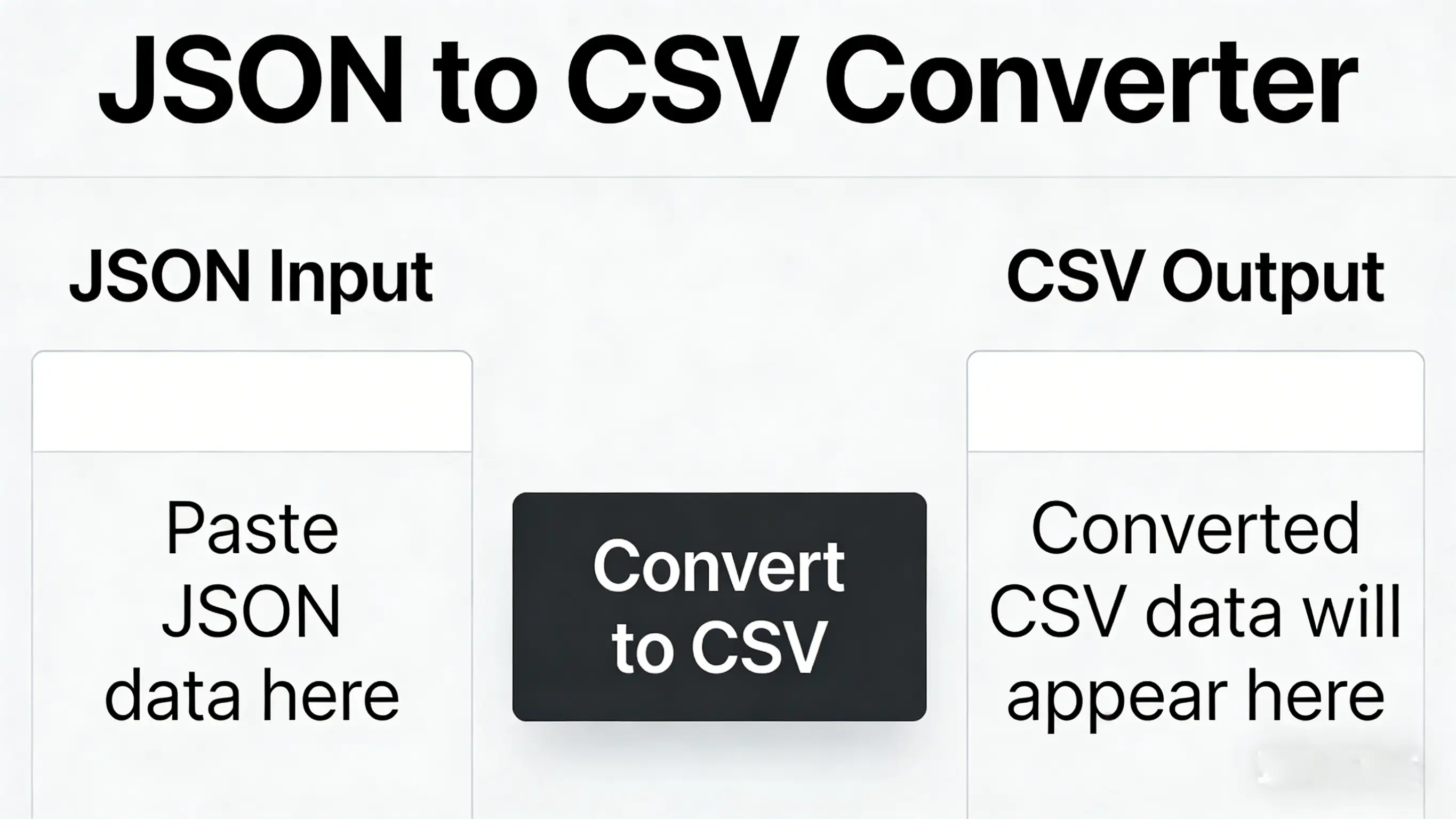
Comparison: How to Convert JSON to CSV Safely?
Let's evaluate the three main ways to handle this task to see which offers the best balance of security and efficiency.
| Method | Security | Speed | Convenience |
|---|---|---|---|
| Online Server-Side Tools | Low (Uploads data) | Slow (Network latency) | High |
| Python / Node.js Scripts | High (Local) | Medium (Dev time) | Low (Requires coding) |
| Techory Client-Side Tool | High (No Upload) | Instant | High (Browser-based) |
Why Client-Side Processing is the Future
Modern web browsers are incredibly powerful. With engines like V8 (Chrome) and SpiderMonkey (Firefox), your browser can process gigabytes of data in seconds—often faster than uploading it to a server.
Techory.xyz leverages this power. When you use our JSON to CSV tool:
- Your Data Stays on Your Device: We use the HTML5 File API to read your file and JavaScript to process it right in your browser tab. No network request is ever made with your payload.
- Instant Feedback: No waiting for uploads or queue times. The conversion happens as fast as your CPU can crunch the numbers.
- Offline Capability: You can load the page, disconnect your WiFi, and the tool will still work perfectly. This is the ultimate proof of privacy.
Technical Challenges: Flattening Nested JSON
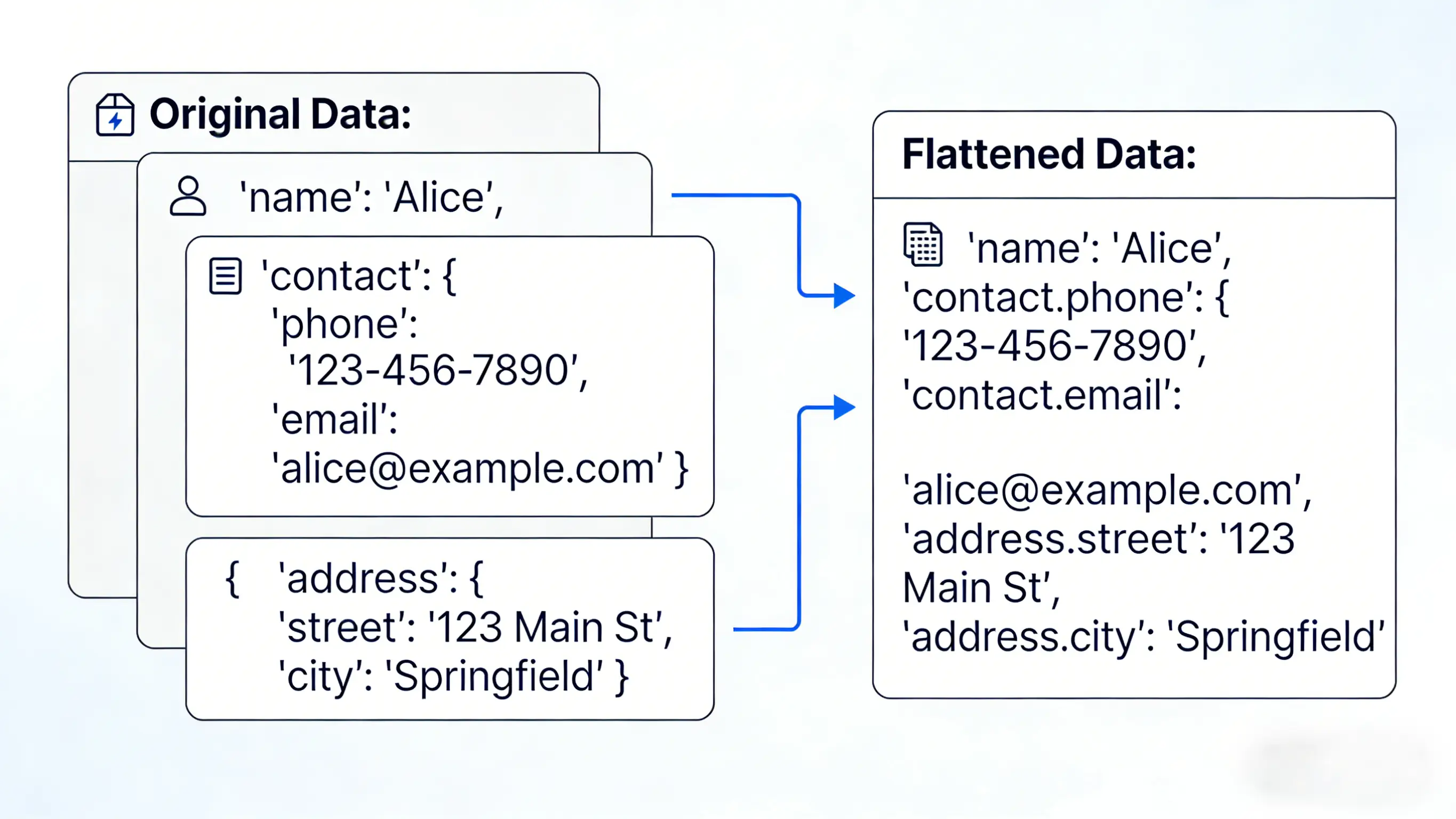
JSON is hierarchical (3D), supporting objects within objects. CSV is flat (2D). Converting one to the other isn't just about changing file extensions; it requires flattening.
Consider this nested user object:
{
  "id": 101,
  "user": {
    "name": "Alice",
    "contact": {
      "email": "[email protected]",
      "city": "New York"
    }
  }
}
A naive converter might just give you [object Object] in the CSV cell. Our Algorithm uses Dot Notation Flattening. The tool recursively traverses the object tree and generates column headers that preserve the structure:
id→101user.name→Aliceuser.contact.email→[email protected]
This ensures you lose zero context when moving to Excel, allowing you to filter by city or sort by name effortlessly.
Handling Arrays and Lists
What if a user has multiple phone numbers? "phones": ["555-0100", "555-0101"]
CSV has no standard way to represent arrays. Our tool intelligently joins these values with a customizable delimiter (like a pipe | or semicolon ;), so they appear in a single cell: 555-0100 | 555-0101. This keeps the row count consistent (1 row per JSON object) while preserving all data for analysis.
Excel Encoding and the BOM (Byte Order Mark)
A common frustration is opening a CSV in Excel and seeing "garbage characters" (e.g., é instead of é). This happens because Excel often defaults to ANSI encoding on Windows, while the modern web uses UTF-8.
Our tool automatically prepends a UTF-8 BOM (Byte Order Mark, \uFEFF) to the generated CSV file. This invisible marker explicitly tells Excel, "Hey, this file is UTF-8 encoded!" ensuring that emojis, foreign languages (Chinese, Japanese, etc.), and special symbols render correctly every time.
Frequently Asked Questions (FAQ)
Is it safe for large files?
Yes. Since it runs in your browser, the only limit is your computer's RAM. We've tested files up to 500MB without issues. However, if you have a file larger than 1GB, the browser UI might freeze during processing.
Can I automate this process?
Currently, this is a manual tool optimized for ad-hoc analysis. For automated pipelines (e.g., converting files every night), we recommend using a CLI tool like jq or writing a custom Node.js script. This tool is for when you need a quick answer right now.
What if my JSON structure varies between rows?
Our tool scans the entire dataset to build a "union schema" of all possible keys. If Row 1 has "email" and Row 2 doesn't, Row 2 will simply have an empty cell for that column in the CSV. You won't lose any data.
Does it support JSON Lines (JSONL)?
Yes! If you paste newline-delimited JSON objects (JSONL), our tool will automatically detect the format, wrap them in an array, and process them as a valid JSON list.
Conclusion
You shouldn't have to choose between convenience and security. With client-side tools like Techory, you can convert complex JSON datasets to Excel-ready CSVs instantly, without ever exposing your sensitive data to the cloud.
Bookmark this page for your next data export task—it's the safest, fastest way to bridge the gap between JSON and Excel.